
A queue of lorries at the weighbridge costs everyone money: the haulier loses trips, the customer receives goods late, and the loading centre gives a poorer service and ends up with a gridlocked yard. It is almost never the weighbridge itself that is at fault. What lengthens each weighing is the data typed in, the paperwork done separately and the lorries that cross twice when once would be enough. This article looks at where the time goes and which changes reduce it.
Measure before changing anything
Before touching the procedure, time a few normal weighings and break the time down into parts:
- From the moment the lorry drives onto the weighbridge until the weight is stable.
- How long it takes to identify the vehicle, the customer and the product.
- How long it takes to produce and print the delivery note.
- How long the additional documentation takes (control document, waste data, other paperwork).
- The payment time, if payment is taken at the weighbridge.
- How many lorries cross twice, and why.
With that data you will know where to focus. Often the weighing itself takes only a few seconds and the rest is paperwork.
The most common causes
| Cause | Why it creates a queue | What to do |
|---|---|---|
| Data typed in by hand | Every lorry requires the plate number, customer, haulier and weight to be entered | Have the software recognise the vehicle and read the weight from the weighbridge |
| Double weighing for everyone | Every lorry occupies the weighbridge twice | Stored tare for regular vehicles, with an update policy |
| New lorries not yet registered | Registration is done with the lorry sitting on the weighbridge | Register expected hauliers and vehicles in advance |
| Documents in different programs | Data is repeated on another screen or on paper | Generate all documents in the same step as the delivery note |
| Payment at the weighbridge | Every lorry waits to be paid for | Invoice afterwards, by period, for regular customers |
| A single weighbridge for entering and leaving | Lorries coming in and going out get in each other's way | Organise the circuit and the order of passage |
| Arrivals bunched together | Many lorries at once in a short time | Spread the loads out with regular customers and hauliers |
Less data to type
The quickest way to shorten a weighing is for the operator to type as little as possible. You can achieve this with three things:
- Registered vehicles. If the software recognises the plate number and already knows the tare, the haulier and the driver, the operator only has to confirm.
- Customers, destinations and prices set up in advance. If the customer already has their rate and their destinations or sites, there is no need to search for them or type them in on every delivery note.
- Advance orders. When the customer has placed an order, the delivery note is completed with its details and the lorry only has to be weighed.
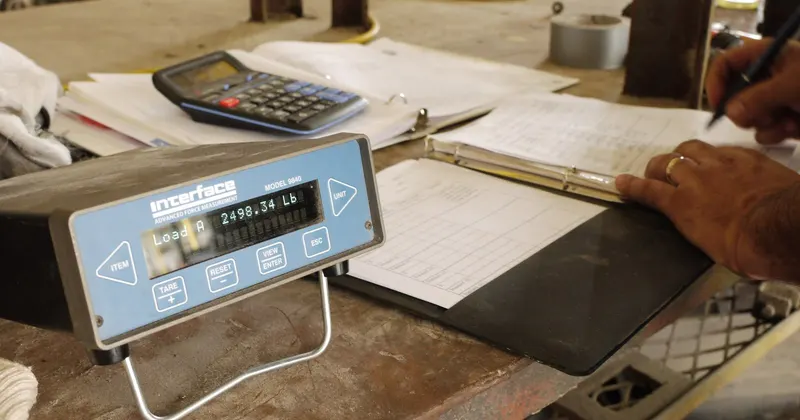
And, of course, the weight is never typed in: it must pass directly from the weighbridge to the software. As well as saving time, this eliminates the copying errors that later force delivery notes to be redone.
A single weighing whenever possible
Double weighing gives the most accurate net weight, but it occupies the weighbridge twice as long. For regular lorries leaving the site, a stored tare lets the lorry cross just once. The condition is to keep those tares up to date with a clear policy: re-weigh empty at regular intervals or whenever something changes on the vehicle.
Reserve double weighing for incoming loads, for new lorries and for cases where the customer asks for it. That way the weighbridge is only occupied when it adds something.
All the paperwork in the same step
In many centres, the delivery note is produced in one program and then other documents have to be prepared on another screen, on a website or by hand: the transport control document, the waste details, the ticket for the driver. Every extra step adds minutes per lorry.
Ideally everything comes out at the same time as the delivery note, with the same data and without retyping it. And the driver should leave with everything they need to be on the road in hand.
Organise the yard and the arrivals
- Signpost the circuit. Where to wait, where to enter the weighbridge and where to leave, with no crossing paths.
- Separate entries and exits if you have two weighbridges, or set an order of passage if you only have one.
- Talk to your regular customers to spread the loads throughout the working day instead of bunching them together.
- Have what is to be loaded ready. If the lorry is waiting for its load to be prepared, the weighbridge is not the problem.
- Check the printing time. A slow printer, or one that jams, also creates queues. A ticket may be enough for the driver.
How CargoGest speeds up the weighbridge process
In CargoGest the lorry is identified by its plate number and the program remembers its tare, its haulier and its driver. The gross weight, tare and net weight are read directly from the weighbridge, with tares stored per vehicle and double weighing when needed. Customers have their prices by destination or site, and customer orders can be registered.
When the delivery note is made, the control document (DeCA) with its printed QR code is generated and registered, and the delivery note comes out on A4, as a ticket or on a dot-matrix printer. Afterwards, the delivery notes for the period are invoiced in bulk with VeriFactu, without taking payment lorry by lorry. More details on the weighbridge software page.